
 On Facebook
 On You Tube
Ensign Features
Charts
Screenshots
Play Back
Chat Room
Help Resources
Testimonials
Data Vendors
Trading Mentors and Educators
What's New
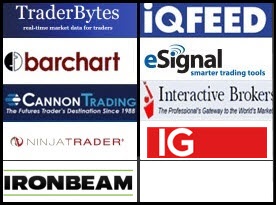
Data Vendors and Brokers
Ensign can receive live market data from several sources, and includes FREE End-Of-Day data for many markets. To watch training videos on selecting a data feed click here. To configure your data feed connection in Ensign select Setup | Feeds from the ribbon menu. read more »
Ensign Software provides FREE real-time Forex currency data and chart history with your Ensign subscription. Enable the FXCM data feed to receive the free Forex data provided with Ensign.
The following Brokerages provide real-time market data when you open an account with them.
| Ironbeam | Open a trading account with Ironbeam by clicking here. Great service, free DOM and free live Futures data |
| Cannon Trading | Open a trading account with Cannon Trading by clicking here. Learn how to open an account and use Cannon with Ensign here. |
| TD Ameritrade | Because TD Ameritrade is transitioning to Charles Schwab, starting a new subscription is not possible at this time |
| Interactive Brokers | Open a trading account with Interactive Brokers by clicking here. |
| IG - Forex Trading | Open an account with IG by clicking here. |
| NinjaTrader | Open a trading account with NinjaTrader Brokerage by clicking here. |
These Ensign compatible market data vendors provide real-time data for many different exchanges. Click the links to view information and to subscribe to their data services.
| TraderBytes | Subscribe to the TraderBytes data feed by clicking here. |
| IQFeed | Subscribe to the DTN IQfeed data feed by clicking here. |
| eSignal | Subscribe to the eSignal data feed by clicking here, or by calling eSignal at 800-815-8256. |
| BarChart | Subscribe to the BarChart data feed by clicking here. |
| FXCM | To learn more about Ensign's free Forex feed from FXCM click
here. |
* The views and information represented in the provided website links are not controlled by Ensign Software. Ensign Software is not responsible for their availability, content, or delivery of services.
home |
features |
downloads |
order |
help |
risk disclosure and disclaimer* |
contact us | find Ensign on


Ensign Software Support: 801-328-1382 Ensign Billing: 208-552-2230
© 2024 Ensign Software, Inc. All Rights Reserved